


Here’s the advice by Peter Matt on Artificial Intelligence – Here is how to stay ahead of everyone in the competition and deliver results for your company. Follow the following steps:
STEP 1: Sign Up to MindPal
- Go to https://mindpal.ai
- Create an account (you can start with the free tier)
- Connect your OpenAI, Claude, or Gemini key (optional, but unlocks full agent use)
- Now you’re inside your dashboard. Let’s build your first agent.
STEP 2: Create Your First AI Agent
- Go to Agents > Create New Agent
- Name your agent
- Choose a model (e.g. GPT-4o, Claude 3, Gemini 1.5 Pro)
- Input your preferences, of sources, LLM’s. tools, language style, etc!
- Click Save Agent
STEP 3: Run the Agent
- After saving, click Chat on the left panel
- Pick your agent
- Start a test chat to see how it behaves
- If needed, adjust the System Instructions for better flow
STEP 4: Turn It Into a Chatbot (Public Link or Website Widget)
- Go to Chatbots > Create New Chatbot
- Choose the agent you just built
Customize:
- Name, Avatar, Welcome Message
- Fields to collect: Name, Email, Instagram/WhatsApp/etc.
- Optional: Add Webhook to send captured data to GHL, Sheets, etc.
- Customize colours and layout (optional)
- Click Publish
- Copy your public link, embed code, or chatbot bubble script
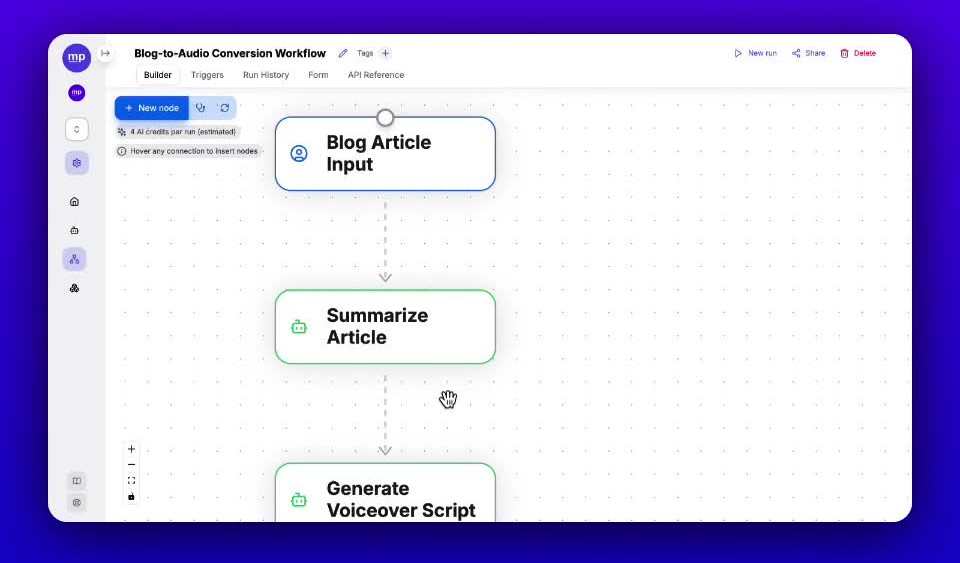
STEP 5: Create a Multi-Agent Workflow (Advanced Use)
Now let’s automate an entire flow (e.g. research + script + email + webhook):
- Go to Workflows > Create New
- Add a Human Input node — ask for a topic, business type, or keyword
- Add your first Agent Node (e.g. “Research AI” or “Hook Generator”)
- Add a second Agent Node to process or refine the output
- (Optional) Add a Webhook Node to send the final output to GHL, Google Sheets, Email, etc.
- Save and Run, or Publish as a Public Form
- You can charge clients for this by inputting a price in the middle of the workflow
Please subscribe to Ubuntu Global Connect for more entrepreneurship opportunities, skills and insights.





Leave a Reply